
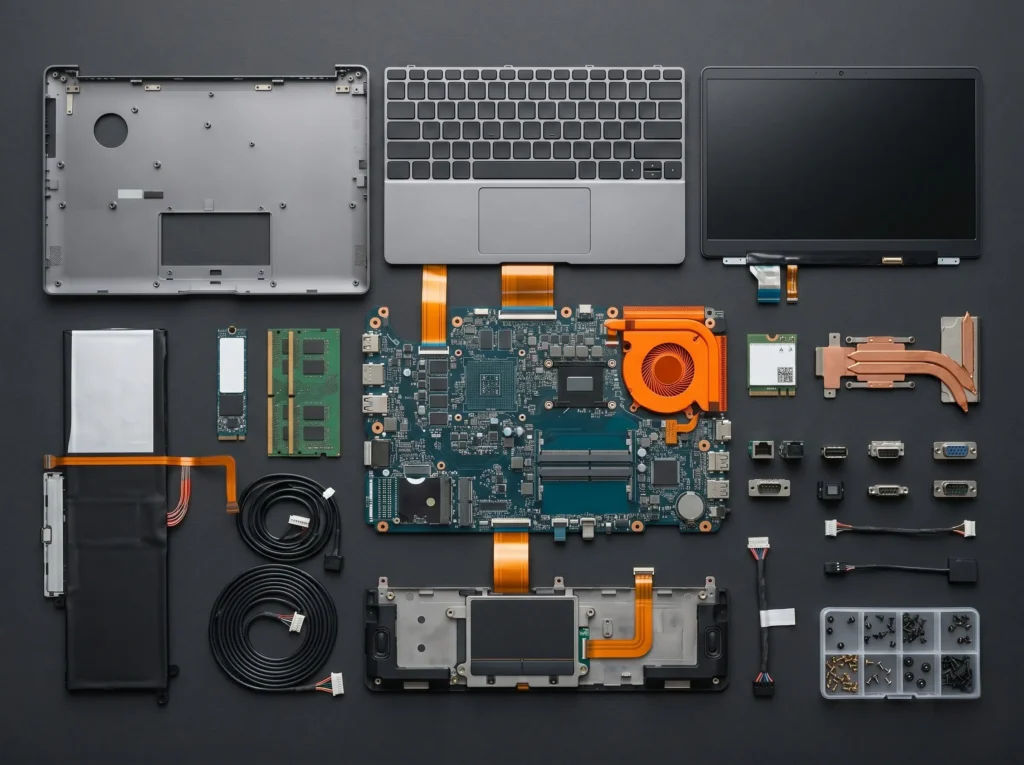
Computer and laptop repair in Tartu
Telescope provides diagnostics, maintenance and repair for laptops and desktop computers in Tartu. Contact us if your computer will not start, runs slowly, overheats, makes unusual noise, does not charge or contains files you cannot access.
We work on home and business computers, including Apple MacBooks. In Tartu, on-site help is also available for Wi-Fi, printers, software and workstation setup.
Which computer brands do we repair?
We repair laptops and desktop computers from Lenovo, HP, Dell, ASUS, Acer, MSI, Razer, Apple MacBook and other manufacturers. If a model needs a specific spare part, we check availability and compatibility before starting the repair.
What types of computers do we repair?
We repair laptops, desktop PCs and business computers for private customers and companies. Devices can be brought to the Telescope workshop at Sõpruse pst 2, room 7 in Tartu.
Laptops
We help with screens, batteries, keyboards, charging ports, cooling, cases, hinges and software issues. We repair laptops, including devices customers may simply call laptops or work notebooks.
Desktop computers
We help with diagnostics, cleaning, repair and upgrades for desktop PCs. We check the power supply, memory, SSD or hard drive, graphics card, cooling, connections and Windows issues.
Work computers and Apple MacBooks
We also help with work computers and Apple MacBooks. For MacBook devices, we check the software, battery, screen, keyboard, charging, cooling and possible spare part needs.
When should you bring a computer in for repair?
A computer does not need to be completely dead before it is worth bringing it to a workshop. Constant overheating, slow performance, a noisy fan or loose hinges are all signs that the device may need preventive maintenance or repair.
An early inspection can help avoid a larger fault, reduce repair costs and protect important data.
First aid after liquid damage.
If water, coffee or juice got into the computer, turn the device off and disconnect the charger. Do not try to turn it on again. It is better to bring the device in for inspection and diagnostics as soon as possible.
Common computer repair and maintenance work in Tartu
Telescope helps with the most common computer repair and maintenance tasks. Below are the issues customers most often bring to the workshop.
Keyboard, hinges and case
We replace keyboards and repair individual key faults, hinges and damaged cases when the device construction allows a reliable repair.
Laptop battery check and replacement
We check the battery if a laptop drains quickly, won’t charge, or only works when plugged in. Stop using the device if the battery is swollen.
Dust cleaning and thermal paste replacement
If a laptop overheats, the fan makes noise or the computer shuts down, dust cleaning, thermal paste replacement or a fan check may help.
Laptop screen and display panel replacement
If the laptop screen is broken, the image flickers or there are lines on the display, we check the panel and the availability of a suitable spare part. We clarify the price before starting work.
Port, connector and charging repair
If a laptop does not charge, a USB or HDMI port does not work, or the charging port is loose, the issue may be in the port, connection or charging circuit. We also check the charger.
SSD, RAM and computer speed upgrades
A slow computer may benefit from SSD installation, replacing an HDD with an SSD, adding RAM or cleaning up the software. Before upgrading, we assess the condition of the computer.
Motherboard repair and soldering
Problems may involve the motherboard, charging circuit, or connector. We also offer soldering and connector repair when feasible.
Inspection after liquid damage
If water, coffee or another liquid got into the computer, do not try to turn it on again. We check whether the damage is in the keyboard, connections or motherboard.
Windows, viruses and data
We help with Windows installation, driver setup, virus removal, and software-related issues. If your data is important, we first assess whether it can be safely preserved before proceeding with any work.
A swollen battery needs quick inspection!
If the laptop case or touchpad has started to lift, the battery may be swollen. In that case, the device should be brought in for inspection as soon as possible.
On-site computer help at home or in the office
Kõiki arvutitöid ei pea alati töökojas tegema. Vajadusel saab tehniku kutsuda koju või kontorisse, kui probleem on seotud seadistuse, võrgu, Wi-Fi, printeri, töökoha või väiksema tarkvaramurega.
When does an on-site visit make sense?
If the work requires workshop equipment, spare parts or deeper diagnostics, we agree on bringing the computer to the workshop. This allows the repair to be done more carefully and safely.
Wi-Fi setup
Workstation setup
Printer help
Software help
Computer repair prices in Tartu
Below are prices for common services. The final cost depends on the device model, fault, required parts and labour.
Diagnostics
20 €
Computer diagnostics help identify whether the problem is related to hardware, software or another hidden cause.
We clarify details before starting work.
Dust cleaning
30 €
Laptop or desktop computer cleaning helps reduce overheating, noise, and cooling-related issues, improving overall performance and reliability.
Suitable for overheating computers.
Circuit board work
from 50 €
Work involving circuit boards, ports, charging circuits and other electronic components depends on the extent of the damage.
Price depends on the fault.
Motherboard repair
from 60 €
Suitable when the issue may be in the motherboard, connections, charging circuit or an electronic component.
6-month warranty · Timing confirmed after diagnostics.
Laptop screen replacement
from 70 €
If the laptop screen is broken, flickers or shows no image, we check the screen type and spare part availability.
12-month warranty · Usually 1-5 days when the part is available.
Windows recovery
from 30 €
If Windows does not start or the system needs reinstalling, we help assess the situation and get the device working again.
12-month warranty · Usually 1-5 days when the part is available.
Is your computer not working properly?
Contact the Telescope workshop, describe the issue and we will agree on the next step.